
What counts as “free” here — and what doesn’t
Before the list: most roundups call something “free” the moment it has a signup form with no credit card required. That’s not the bar used here. A tool only makes this list if you can complete a real task with it — not just preview one — without paying. That means:
- Genuinely free tools: usable indefinitely, with limits generous enough for actual work (Google Gemini’s Nano Banana 2 giving roughly 20 images a day, for example, or Codeium’s uncapped code completions).
- Free tier with real but tight limits: usable for occasional or light work, then you hit a wall (ChatGPT’s free tier, most AI video generators).
- Excluded: tools that only offer a one-time trial before requiring payment, or where the “free” plan locks the actual AI feature behind a paid add-on.
Free-tier limits on AI products change often — sometimes month to month. Every specific number below (credits, images per day, messages) reflects what’s publicly documented as of mid-2026 according to the sources cited. Check the tool’s current pricing page before you build a workflow around a specific limit, since these move faster than most articles get updated.
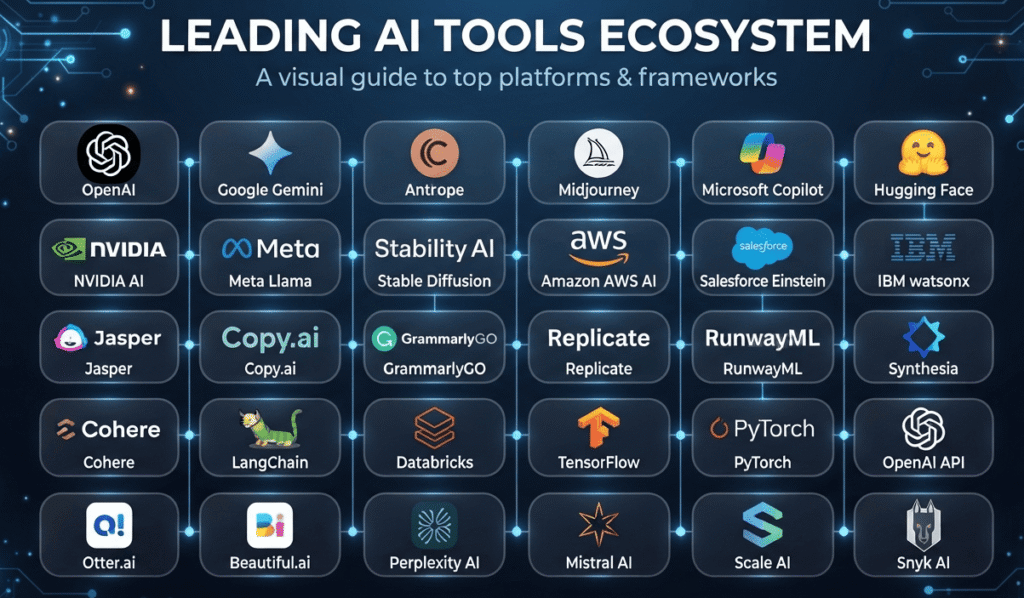
Quick answer: best free AI tool by category
| Category | Best pick | Why |
|---|---|---|
| General chatbot | ChatGPT or Claude (free tier) | Broadest capability, most polished free experience |
| Research/citations | Perplexity | Cites sources inline, good for fact-finding |
| Notes from your own documents | NotebookLM | Grounds answers only in what you upload |
| Image generation | Google Gemini (Nano Banana 2) | ~20 free images/day, no watermark |
| Text-in-image (posters, logos) | Ideogram | Best free tier for legible text rendering |
| Video generation | Google Veo via AI Studio / Flow | Highest free-tier visual quality |
| Talking-head/avatar video | HeyGen | Full free plan with avatars and voice cloning |
| Voice/text-to-speech | Microsoft Edge TTS | Effectively unlimited, no watermark, commercial-safe |
| AI singing/music | Suno-style tools (check current free credits) | Fastest way to a finished track |
| Writing/grammar | Grammarly | Best free tone, clarity, and rewrite suggestions |
| Coding assistant | Codeium or GitHub Copilot Free | Codeium: unlimited completions; Copilot: better chat quota |
| Meeting notes | Otter.ai or Fathom | Free transcription + summaries for most individual use |
| Presentations | Gamma | Turns a prompt or doc into a deck in minutes |
| Automation | Zapier (free tier) | Connects 7,000+ apps for simple no-code workflows |
AI chatbots and general assistants
These are the tools most people start with. Each free tier works differently, and the differences actually matter for how you’ll use it day to day.
ChatGPT (OpenAI) — free tier
Free accounts get limited, message-capped access to a lighter current-generation model, with the newest flagship models generally reserved for paid subscribers. It remains strong for boilerplate writing, brainstorming, and general Q&A. One thing worth knowing: free U.S. accounts have started seeing ads appear under some answers.
Claude (Anthropic) — free tier
Claude’s free plan gives access to a capable current-generation model with a daily message cap that resets. It’s a solid pick for longer writing tasks, careful editing, and coding help where you want fewer robotic-sounding responses.
Google Gemini — free tier
Tightly integrated with Gmail, Docs, and Search. Free users get a workable daily allowance for chat and, notably, image generation through the same interface (see Image Generation below).
Perplexity — free tier
Built around search-grounded answers with inline citations, which makes it useful for anything where you need to trace a claim back to a source rather than trusting a chatbot’s memory.
DeepSeek
An open-weight model family with a free web chat and free/self-hostable models, popular for developers who want to run inference cheaply or locally.
Grok (xAI)
Bundled inside X (Twitter). Useful mainly if you’re already on the platform and want AI-assisted analysis of real-time posts; there’s no fully standalone free experience outside X.
Meta AI
Free, built into Instagram, WhatsApp, and Messenger, plus a standalone site — decent for quick answers if you’re already living in Meta’s apps.
Microsoft Copilot (free)
Free web and Windows version built on OpenAI models, with a distinct advantage: free-tier image generation through Bing Image Creator (Designer) baked in.
HuggingChat
A free, open-source-model chat interface from Hugging Face. Good backup when you hit rate limits elsewhere, and useful for trying open models like Llama or Mistral without setup.
Pi.ai
A more conversational, personality-driven assistant free to use, geared toward casual dialogue rather than task execution.
Research, knowledge, and study tools
NotebookLM (Google)
Upload up to dozens of sources — PDFs, websites, YouTube transcripts, Docs — and NotebookLM answers only from what you gave it, with citations pointing back to the exact passage. Genuinely useful for long research projects, thesis work, or making sense of a stack of PDFs. Free during its current preview with usable limits.
Perplexity (again, for research specifically)
Its “Focus” modes let you restrict search to academic papers or specific domains, which narrows the free research use case nicely.
Elicit
Free tier for searching and summarizing academic papers, extracting key findings across studies — aimed at literature reviews.
Consensus
Search engine layered over research papers; free tier answers questions with citations pulled specifically from peer-reviewed sources.
Google Scholar + Gemini in Docs
Not an “AI tool” on its own, but combining Scholar for source discovery with Gemini’s free summarization in Docs covers a lot of the research workflow at zero cost.
Image generation
Free image generation moved from a Midjourney-only game to a genuinely competitive field. Here’s what free actually gets you as of mid-2026:
| Tool | Free tier | Best for | Limitation |
|---|---|---|---|
| Google Gemini (Nano Banana 2) | ~20 images/day, up to 1K resolution | All-around quality, no signup friction beyond a Google account | Daily cap resets, no bulk generation |
| ChatGPT (GPT Image) | Limited free generations via chat | Conversational editing (“make the sky darker”) | Tied to your overall ChatGPT message cap |
| Microsoft Designer (DALL-E) | ~15 fast generations/day, unlimited slow | Zero-friction browser access | Slower queue for unlimited tier |
| Ideogram | 10+ images/day | Text rendering — posters, signs, logos | Free tier daily-capped |
| Leonardo AI | ~150 tokens/day (roughly 15–30 images) | Style variety (photoreal, anime, concept art) | Token system takes a moment to learn |
| Adobe Firefly | ~10 credits/month | Commercial-safe generation, Content Credentials metadata | Most limited free allowance on this list |
| FLUX (open-weight models) | Unlimited if self-hosted | Full control, no rate limits | Requires your own GPU or a hosted Space |
| Canva (Magic Media) | Included in free Canva plan | Generating images inside a full design workflow | Fewer generation controls than dedicated tools |
Practical tip: if you need volume in a single day (e.g., 40 concept variations), don’t lean on one tool’s daily cap — rotate between two or three free generators, since none of them share a limit pool.
Video generation
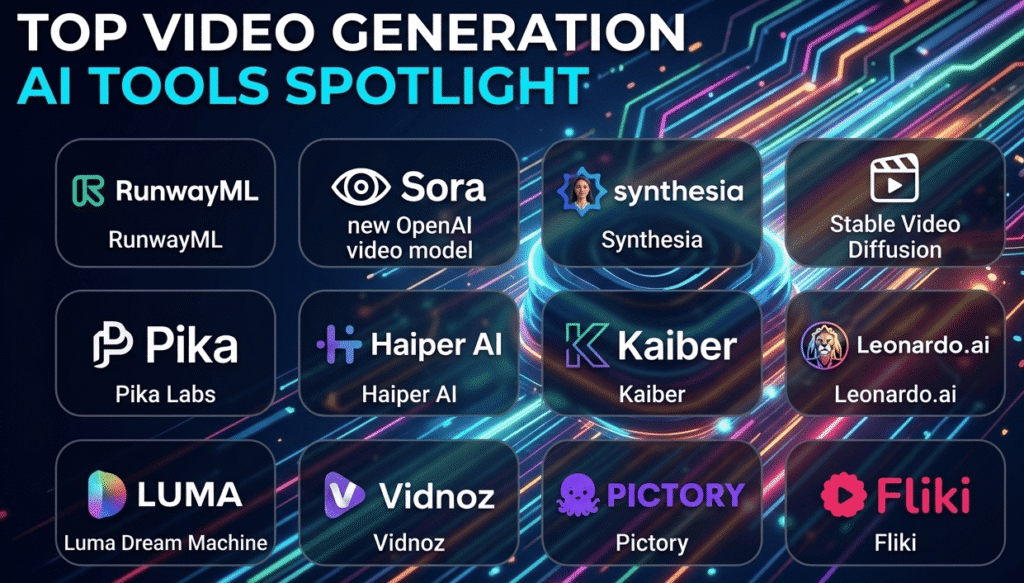
Free AI video is the fastest-moving, least stable category on this list — tools change limits within months of launch. Treat every number below as a starting point to verify.
- Google Veo (via AI Studio / Flow) — currently offers the strongest free-tier visual quality and physics handling; eligible users have reportedly received a daily batch of generation credits, though access can be inconsistent.
- Kling AI — one of the more generous free daily credit allowances among dedicated video generators, strong on motion.
- Runway — free credits are issued once at signup rather than recurring, and free exports carry a watermark.
- Pika, Hailuo, Luma Dream Machine — all offer usable free clip generation; check current daily/monthly caps before planning a project around any one of them, as several have tightened limits within months of launch.
- HeyGen — the most complete free plan for talking-head/avatar video specifically, including basic voice cloning and multi-language dubbing.
- CapCut (desktop) — not a generative model, but its free AI editing features (auto-captions, background removal, video-from-text assembly) export without a watermark.
- InVideo AI — builds a narrated, stock-footage-based video from a text prompt; free tier includes weekly minutes with a watermark.
Reality check: “free” video generation almost always means short clips (a few seconds), watermarks on some platforms, and daily/monthly credit ceilings. If you need a finished, watermark-free video longer than 10–15 seconds, expect to eventually pay for at least one tool in your pipeline.
Voice, music, and audio
Microsoft Edge’s built-in text-to-speech is the closest thing to a genuinely unlimited free option — no watermark, cleared for commercial use, no sign-up wall. It won’t sound as expressive as premium options, but it’s dependable.
ElevenLabs — free tier gives roughly 10,000 credits/month (about 10 minutes of generated audio), with noticeably more realistic and emotional delivery. Good for short narration or voiceover samples; the monthly cap makes it impractical for long-form free use.
Suno / similar text-to-music generators — describe a genre and mood, get a full song with vocals in under a minute on the free tier, though free credit allowances vary and change often — verify current limits before relying on it for a project.
Vocal removers / stem separators (bundled free into several of the tools above) — useful if you want to isolate vocals or instrumentals from an existing track for remixing or practice.
A caution on AI music and copyright: legal questions around AI-generated music trained on existing artists’ work remain unresolved, and a significant fair-use ruling was expected in the industry during 2026. If you plan to distribute or monetize AI-generated tracks commercially, check the platform’s current licensing terms rather than assuming “free to generate” means “free to sell.”
Writing, editing, and content tools
Grammarly (free) — beyond spellcheck: tone detection, clarity rewrites, and full-sentence suggestions, integrated into Gmail, Docs, and Word. Probably the single highest time-saved-per-minute-invested tool on this entire list for anyone who writes email or documents daily.
ChatGPT/Claude/Gemini (again) — all three double as drafting tools for emails, outlines, and first drafts; free tiers are enough for occasional use, tight for daily heavy output.
Copy.ai (free tier) — around 2,000 words/month of AI-generated marketing copy: social captions, product descriptions, subject lines. Fine for occasional needs, too tight for regular content production.
QuillBot — free paraphrasing and summarizing tool, useful for rewording dense text or checking your own writing for excessive similarity to a source.
Hemingway Editor — not AI-generative, but a free readability tool worth pairing with any AI draft to catch overly complex sentences AI models tend to produce.
Coding and developer tools
Free AI coding tools split into two real camps, and understanding the difference will save you time:
- Polished proprietary free tiers — good for getting started, limited for full-time professional use.
- Open-source tools you point at your own API key — effectively unlimited usage, but you pay for API calls and do more setup.
| Tool | Free tier | Type |
|---|---|---|
| GitHub Copilot Free | ~2,000 completions + 50 chats/month | Proprietary |
| Codeium | Unlimited completions, in-editor chat | Proprietary (generous) |
| Cursor (free) | ~2,000 completions + 50 slow premium requests/month | Proprietary |
| Google Gemini Code Assist | Very high monthly completion allowance (reported in the six figures) | Proprietary |
| Amazon Q Developer | Unlimited completions + a monthly agentic-request allowance | Proprietary |
| Windsurf (free) | Limited agent usage, unlimited inline completions | Proprietary |
| OpenCode / Aider / Cline | Unlimited, but you supply your own LLM API key | Open-source |
| Continue | Unlimited, bring-your-own-API-key | Open-source |
| Tabnine (free) | Basic autocomplete, no chat | Proprietary (limited) |
| Replit AI (free) | Limited, browser-based, tied to Replit projects | Proprietary |
| JetBrains AI (free) | Limited prompt credits, unlimited completions | Proprietary |
A practical stack for $0: Codeium for daily unlimited completions, plus one of the open-source agent tools (OpenCode, Aider, or Cline) paired with a cheap or free-tier API key for anything that needs multi-file, repository-level changes.
Productivity, meetings, and automation
Otter.ai (free) — automatic meeting transcription and summaries; free plan covers casual, individual use across Zoom, Teams, and Meet.
Fathom (free) — records, transcribes, and summarizes meetings with action items pulled out automatically; genuinely free for individual use.
Notion AI (bundled with free Notion plan) — limited free AI queries for summarizing notes, drafting content, and turning meeting notes into task lists. Useful mainly if you’re already living in Notion.
Zapier (free) — connects thousands of apps for simple automations (“when this happens in Gmail, do that in Slack”). Free plan covers basic single-step workflows; multi-step or more frequent automations require upgrading.
Google AI Studio — free access to test Gemini models directly, including function calling and structured outputs, useful if you’re prototyping rather than just chatting.
Presentations and design
Gamma (free) — generates a full presentation, document, or webpage from a prompt or existing text; free plan gives a limited number of AI-generated presentations with usable templates.
Canva (free + Magic Studio) — the most complete free design suite for non-designers: AI image generation, background removal, layout suggestions, and templates all inside one tool.
Presenti / similar deck generators — free plans exist alongside Gamma for prompt-to-slide generation; worth comparing if Gamma’s free cap runs out mid-project.
Best free AI tools for students specifically
If you’re a student rather than a professional, the priority list looks a little different:
- NotebookLM — upload lecture PDFs, readings, and slides; ask questions grounded only in your course material.
- Perplexity — research with citations you can actually check for a paper.
- Grammarly — catch grammar and clarity issues before submitting essays.
- Claude or ChatGPT (free) — explain concepts, quiz yourself, or get feedback on an outline — not to write the final work for you.
- Otter.ai — transcribe and summarize lecture recordings.
A note on academic honesty: free AI tools are strong at explaining and summarizing, but most institutions have explicit policies on using AI to generate submitted work. Check your school’s policy before using any of these for graded assignments.
How to build a free AI stack instead of hunting for one perfect tool
No single free tool covers writing, research, design, video, and coding well. The more durable approach:
- Pick one general chatbot (ChatGPT or Claude) as your default for drafting and reasoning.
- Add one research tool (Perplexity or NotebookLM) for anything requiring sources.
- Add one design tool (Canva) and, if you need dedicated image generation, Gemini or Ideogram.
- Add one meeting tool (Otter or Fathom) if you’re in calls regularly.
- Add one coding tool (Codeium, if you write code at all) even for light scripting.
Each free tier covers a distinct slice of work, so you rarely hit limits across all of them at once — you just stop relying on any single tool to do everything.
FAQ
Are these AI tools really free, or is there a hidden catch?
Most have real limits: message caps, daily image/video quotas, or watermarks on exports. None on this list require a credit card to access the free tier, but “free” almost never means “unlimited.” Check each tool’s current pricing page for exact numbers before building a workflow around it.
Which free AI tool is best for someone starting from zero?
ChatGPT or Claude’s free tier covers the widest range of general tasks with the least setup. Add Canva if you also need visuals.
Do free AI image and video tools add watermarks?
It varies by tool. Google Gemini, ChatGPT, Microsoft Designer, and Ideogram generally produce clean images without visible watermarks. Video is less consistent — Runway and several video generators add a watermark on free exports, while others don’t.
Can I use free AI-generated content commercially?
Sometimes, but the terms differ by platform and by category (image, video, music each have separate rules). Read the specific tool’s commercial-use terms before publishing or monetizing anything you generate for free — this is especially important for AI music, where licensing questions are still being resolved industry-wide.
Why do free AI tool limits keep changing?
Providers regularly adjust free-tier limits in response to cost, competition, and abuse. A tool that was generous six months ago may have tightened its limits since, and vice versa. Treat any specific number as a snapshot, not a permanent guarantee.
Is a free AI coding tool good enough to replace a paid subscription?
For learning, hobby projects, or light daily use, yes — tools like Codeium and GitHub Copilot Free are genuinely capable. For professional, high-volume, or repository-wide agentic work, most developers eventually hit limits that make a paid tier or an API-key-based open-source setup worthwhile.
What’s the best free AI tool for someone who only wants one?
If forced to pick exactly one, a general chatbot with a free tier (ChatGPT or Claude) covers the broadest set of tasks — writing, explaining, light coding help, and brainstorming — even though it won’t match a specialized tool in any single category.